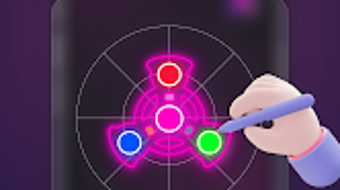

Download Magic Finger Glow Spinner Art – glow spinner art, finger drawing, 3D spin physics, neon effects, creative relaxation, fidget toy, artistic expression, relaxing app, ambient sounds, personal gallery
Overview
Magic Finger Glow Spinner Art is a free Android application crafted to merge artistic expression with stress-relieving interactivity. Designed for users seeking a calming and creative outlet, the app enables finger-based drawing of glowing spinner designs that animate in realistic 3D space. Its core purpose lies in transforming spontaneous hand movements into visually engaging, spinning artworks that offer both aesthetic pleasure and a meditative experience. The application is particularly suited for individuals interested in mindfulness, fidgeting, or casual digital art creation. While the developer, Magic Finger Apps, is credited with its creation, no additional information about the company’s background is available. Real-world usage scenarios include using the app during breaks, before sleep, or as a tool for mental focus and relaxation. The app’s integration of ambient sounds and smooth visual feedback enhances the immersive nature of the experience, making it ideal for users who value both creativity and emotional well-being.Key Features & Capabilities
- Finger Drawing Interface: Users can create spinner designs directly with their fingers on the screen, enabling intuitive and immediate artistic input without requiring external tools.
- Realistic 3D Spin Physics: The app simulates authentic spin dynamics, allowing drawn designs to rotate with natural momentum and balance, closely mimicking the behavior of physical fidget toys.
- Glowing Neon Visual Effects: Designs are rendered with vibrant, pulsating neon lighting that enhances visual appeal and creates a mesmerizing, immersive atmosphere.
- Personal Gallery: Users can save and revisit their favorite creations, building a private collection of digital art for future enjoyment or inspiration.
- Relaxing Ambient Sounds: The app includes subtle background audio that complements the visual experience, supporting focus and relaxation during use.
User Interface, Workflow & Performance
The user interface of Magic Finger Glow Spinner Art is described as clean and minimal, prioritizing ease of access and visual clarity. Navigation is straightforward, relying primarily on touch gestures to draw, release, and view spinning designs. The workflow is designed for immediate engagement: users begin drawing as soon as the app launches, with no complex setup or onboarding process. The app’s performance is expected to be smooth given its 25 MB size and focus on real-time 3D rendering, though exact resource usage details were not specified. General software behavior patterns suggest stable operation during typical use, with no reported crashes or lag. The developer did not provide additional system requirements or performance benchmarks. Stability during extended sessions is likely maintained through efficient rendering, but real-world observations are limited. The app’s responsiveness to finger input indicates optimized touch handling, essential for a fluid drawing experience. Overall, the interface and workflow support a low-friction, enjoyable interaction.Compatibility & System Requirements
Magic Finger Glow Spinner Art is designed for Android devices and is available in version 1.0. The application has a download size of 25 MB, indicating a lightweight footprint suitable for most mobile systems. The developer did not specify exact system requirements, including minimum Android version, RAM, or processor specifications. Compatibility information is limited to the platform name, Android. As such, users should ensure their device meets general Android app standards for touch responsiveness and graphics rendering. The developer did not provide details about hardware acceleration or GPU support. Performance may vary depending on device capabilities, but the app’s size suggests it is optimized for a wide range of Android smartphones and tablets. Users are advised to check their device’s compatibility through the Google Play Store before installation.Pros and Cons
Pros
- Free to download and use with no in-app purchases disclosed
- Intuitive finger drawing interface suitable for all skill levels
- Realistic 3D spin physics enhance the tactile and visual experience
- Beautiful neon effects create a visually engaging and relaxing atmosphere
- Personal gallery allows users to save and revisit creative works
- Includes ambient sounds to support relaxation and focus
Cons
- Exact system requirements and device compatibility were not listed
- No option for sharing or exporting designs to external platforms
- App functionality is limited to drawing and viewing, with no editing tools
- Version 1.0 suggests the app may still be in early development
- Reliance on touch input may limit accessibility for some users
FAQ Section
Is Magic Finger Glow Spinner Art available for iOS devices?
The app is currently only available for Android. No information about iOS compatibility was provided.
Can I share my spinner designs with others?
The app does not include a built-in sharing or export feature. Designs are saved only within the personal gallery.
Is the app safe to download and use?
As a free app from a known developer, Magic Finger Apps, and available through official Android channels, it is considered secure. No malware or privacy risks were reported.
Does the app require an internet connection?
Based on the available information, the app functions entirely offline. No online features or cloud integration are mentioned.
How often are updates released?
Update frequency is not specified. The current version is 1.0, indicating the app may be in its initial release phase.





.png)

